Snapchat is deleting Memories over the free 5GB limit
Get your memories out, with their dates intact.
Your memories are the people, places and old versions of you that you'll want back one day. But Snapchat's export strips the dates and locations, so they all land in your library stamped today. SnapRescue puts the real time, place and captions back, and files everything by the day it actually happened.
✓ Free for your first 100 files · ✓ 100% on your computer · ✓ No account
Fixed in seconds
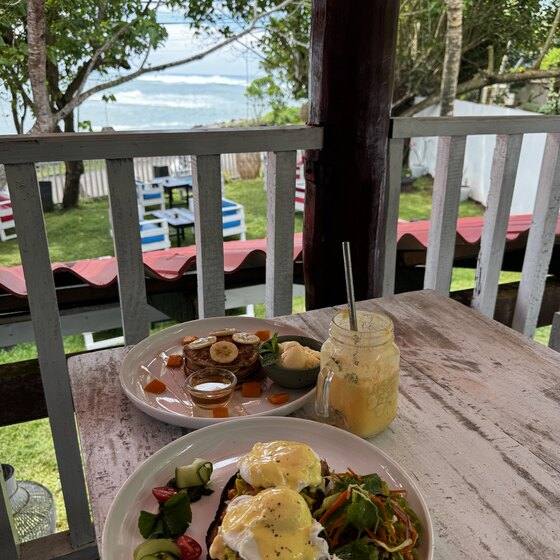
before
Today 2026 ✕
before
before
Today 2026 ✕
before
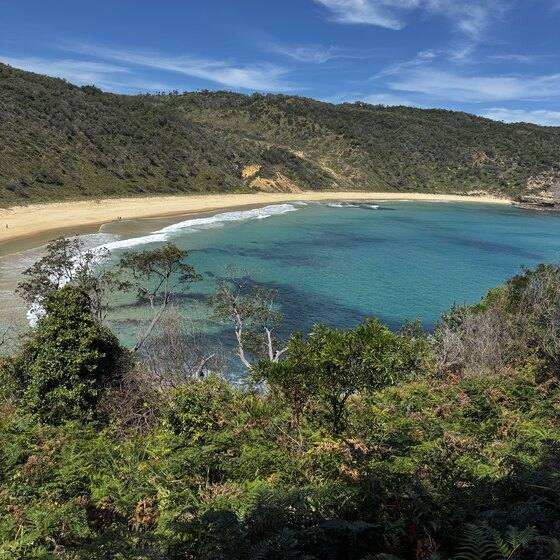
after
14 Jan 2019 Jervis Bay
after · back where it belongs
5GB free limit now · 12 months before overflow is deleted · $3.99/mo to keep paying Snapchat · or $9.99 once to own them forever · 5GB free limit now · 12 months before overflow is deleted · $3.99/mo to keep paying Snapchat · or $9.99 once to own them forever ·
100% on your computerNothing uploaded, no accountNot affiliated with SnapSecure Stripe checkout30-day money-back guarantee
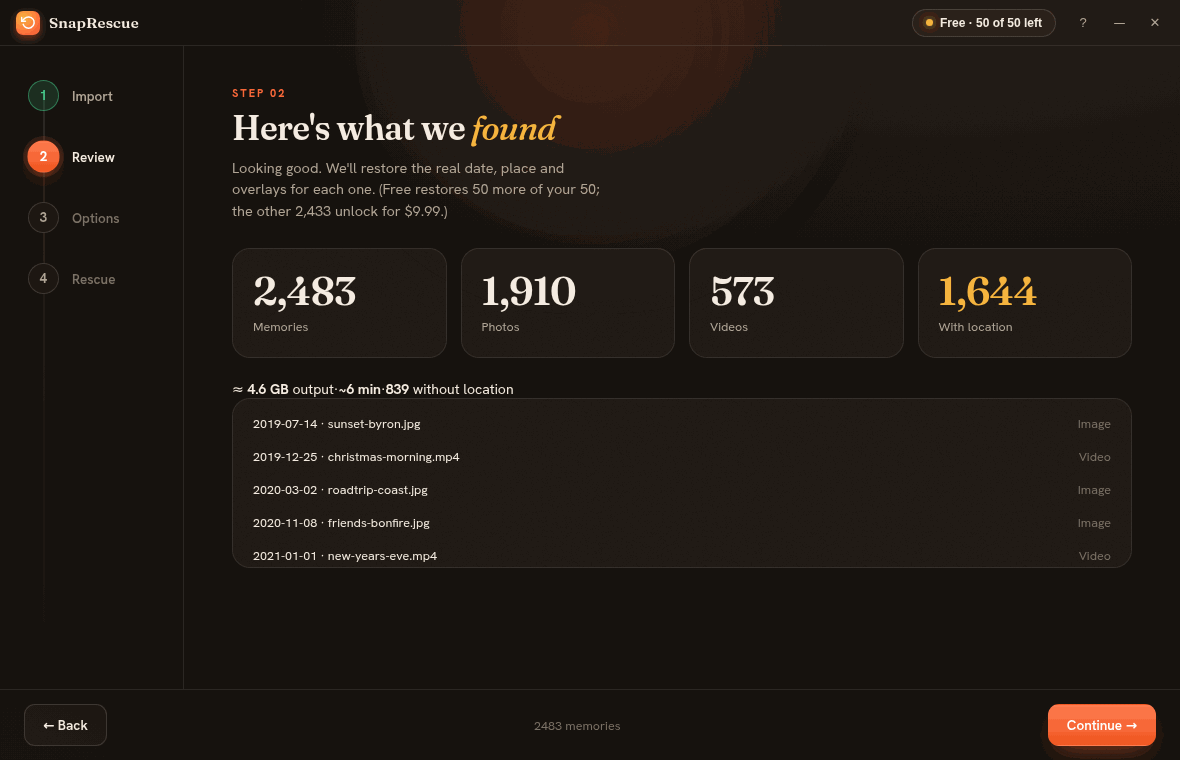
The actual app
Four guided steps from start to finish.
Import your export, see exactly what was found, choose where everything should land, and watch it get rescued. It even merges Snapchat's folders for you.
SnapRescue on Windows and Mac. Mobile coming soon.
The catch nobody warns you about
Your export downloads fine. Then your timeline is wrecked.
Snapchat hands you the raw photos and videos, but the dates and GPS live in a separate memories_history.json file that your photo app never reads. Import them and 2,000 memories from years of your life all stack up on today's date, with nothing left to say where or when any of it happened.
SnapRescue reunites every file with its real metadata before it ever touches your library.
2019-summer-roadtrip.jpg
Capture date✗ shows “today”
Location✗ stripped out
Caption✗ separate overlay
↓ SnapRescue ↓
Capture date✓ 14 Jul 2019, 7:32 pm
Location✓ Byron Bay, AU (on the map)
Caption✓ merged onto the photo
Four steps, no tech skills
From a messy ZIP to a beautiful archive.
Ask Snapchat
In the app: Settings → My Data → Submit Request. They email you a download link. (We never touch your login.)
Put it in one folder
Snapchat may send several ZIP files. Save them all into one folder. No need to unzip them yourself.
Point & go
Open SnapRescue and select that folder. It unzips and finds every memory plus its metadata automatically.
Drag anywhere
Get tidy 2019/ 2020/ … folders ready for Google Photos, Apple Photos, Immich, or anywhere else.
It takes two minutes to ask, and Snapchat usually emails you within a few hours (sometimes up to a day).
1
In Snapchat, tap your profile → the gear ⚙️ (Settings) → scroll to My Data → Submit Request. (You can also do it at accounts.snapchat.com.)
2
Make sure “Include Memories and other files” is ticked, then submit. Snapchat emails you a link when it's ready.
3
Download the file(s) to your computer. A big library often arrives as several ZIP files (data-1.zip, data-2.zip…). Put them all in the same folder. You don't need to unzip them.
4
Open SnapRescue, click Choose folder, and pick that folder (the one holding the ZIPs). That's it.
Tip: already unzipped them? That works too. Point SnapRescue at the folder that contains your media and the memories_history.json file.
Why it's the good one
Everything the others do, plus the bits they miss.
Truly correct local times
Snapchat stores every moment in UTC. Other tools paste that in raw, so an evening snap abroad shows up at breakfast. SnapRescue uses each photo's GPS to convert it to the real local time it was taken.
09:30→7:30 pmBali, where it happened
GPS + place names
Coordinates embedded so map view works, plus a readable location like “Byron Bay” written in.
Overlays merged
Captions, stickers and the date overlays composited back onto the photo or video as one clean file.
Unzips it for you
Snapchat sends your export as several ZIP files. Other tools make you extract every one and merge the folders by hand first. SnapRescue takes the ZIPs as they came and does that step for you.
Dated folders
Auto-organized into year folders with date-named files, an instant browsable archive.
100% private
Everything runs on your computer. Nothing uploads, no account, no servers seeing your photos.
Photos & videos
Full metadata for both, with zero quality loss. Only the metadata changes, never the pixels.
Pause & resume
Got 30,000 memories? Stop any time and pick up exactly where you left off. Nothing redone.
Self-hosted friendly
Embedded EXIF that Immich, Jellyfin, Photoprism and any library read on import, plus optional XMP sidecars for external-library setups. Something no rival offers.
Honest comparison
How SnapRescue stacks up.
Feature
ExportSnaps
Memories Import
SnapRescue
Restore dates & GPS
✓
✓
✓
Unzips your export for you
✗ extract by hand
✗
✓
Convert to true local time
offset only
✗
✓
Readable place names
✗
✗
✓
Merge caption/sticker overlays
✓
✗
✓
Dated year-folder organization
flat
✗
✓
Immich & self-hosted ready (XMP)
✗
✗
✓
Resume large exports
failed only
✗
✓
100% local / private
✓
✓
✓
Price
$14.99
paid
$9.99
Comparison based on each tool's publicly listed features and pricing as of June 2026. ExportSnaps and Memories Import are independent products; details may change, check their sites for the latest.
Simple, fair, one-time
Try it free. Unlock once.
No subscription, unlike a certain ghost. Snapchat Plus is $3.99 every month, forever. SnapRescue costs less than 3 months of that, then it's yours for good.
↩️ 30-day money-back guarantee, no questions asked
Secure checkout via Stripe · One-time payment, no subscription · Windows & Mac, mobile coming soon
Good questions
Things people ask.
In Snapchat: profile → Settings ⚙️ → My Data → Submit Request (tick “Include Memories”). Snapchat emails you a download link, usually within a few hours. A large library can arrive as several ZIP files, so just save them all into one folder and point SnapRescue at that folder. See the full step-by-step guide ↑
No. SnapRescue never logs into Snapchat or touches your account. You request your data through Snapchat's own official “My Data” tool, and SnapRescue only processes the ZIP they email you, entirely on your computer.
Never. All processing happens locally on your machine. Your memories don't leave your computer, and SnapRescue works without an account. The only thing that ever goes online is a tiny licence-key check when you unlock the full version.
The full feature set on your first 100 files, so you can confirm it works perfectly on your own photos and videos before paying anything. Unlock once for $9.99 to process your entire library.
Yes. Dates and GPS are written into videos as well as photos, and caption/sticker overlays are merged onto both. Quality is untouched; only metadata changes.
In a clean set of 2019/ 2020/ … folders you choose, with every file's real date and location embedded, ready to drag into Google Photos, Apple Photos, Immich, Lightroom, or anywhere else.
Just import the rescued photos and videos like any others. The date, GPS and caption are written inside each file, so Immich reads them straight away. No need to import anything else. If you run an external library (Immich scanning a folder without altering your originals), tick “Also write XMP sidecar files” in SnapRescue and a matching .xmp is placed next to each item. One thing to note: a sidecar is only ever read alongside its photo or video, never uploaded on its own.
Yes. That SmartScreen notice appears for any new app from an independent developer that hasn't yet built up download history with Microsoft. SnapRescue is safe and runs entirely on your computer. To open it: click “More info”, then “Run anyway”. The warning fades as more people download it.
Windows, Mac (Apple Silicon and Intel) and Android are available now. The iPhone version is in the works. Buy once and you'll get them all included.
Don't let years of your life expire in a ghost's cloud.
Rescue your Memories today. Free for the first 100.
SnapRescue is a new app, so Windows may show a blue “Windows protected your PC” notice. That is normal for any new app, and SnapRescue is completely safe and runs entirely on your computer.
To open it: click More info, then Run anyway.
✕
Windows protected your PC
Microsoft Defender SmartScreen prevented an unrecognized app from starting. Running this app might put your PC at risk.
More info
Run anywayDon't run
This is the exact box you'll see. Click More info to reveal Run anyway.
SnapRescue is not in the App Store, so macOS may say it “cannot be opened because Apple cannot check it for malicious software.” That is normal for apps outside the store, and SnapRescue is completely safe and runs entirely on your computer.
To open it: double-click the app, close the warning, then go to System Settings → Privacy & Security, scroll down and click Open Anyway. On macOS 14 or older you can simply right-click the app and choose Open. You only do this once.
Most Macs from 2020 onward are Apple Silicon (M1, M2, M3 and newer); older Macs are Intel. Not sure which you have? Open the Apple menu and choose About This Mac.
SnapRescue for Android installs straight from here rather than the Play Store, so your phone asks you to allow the install and Play Protect may show a quick "unknown app" notice. That is normal for a direct download, and SnapRescue is completely safe and runs entirely on your phone.
To install: tap Download, open the file, turn on Allow from this source, then tap Install anyway.
Android 8.0 and newer. Your first 100 files are free, the same as the desktop app.
The iPhone version of SnapRescue is in active development. Leave your email and we'll tell you the moment it's on the App Store, and send you an early-supporter discount code to say thanks for waiting.
One email when it's ready, nothing else. Your address is never shared.